Two MCP servers, one API key
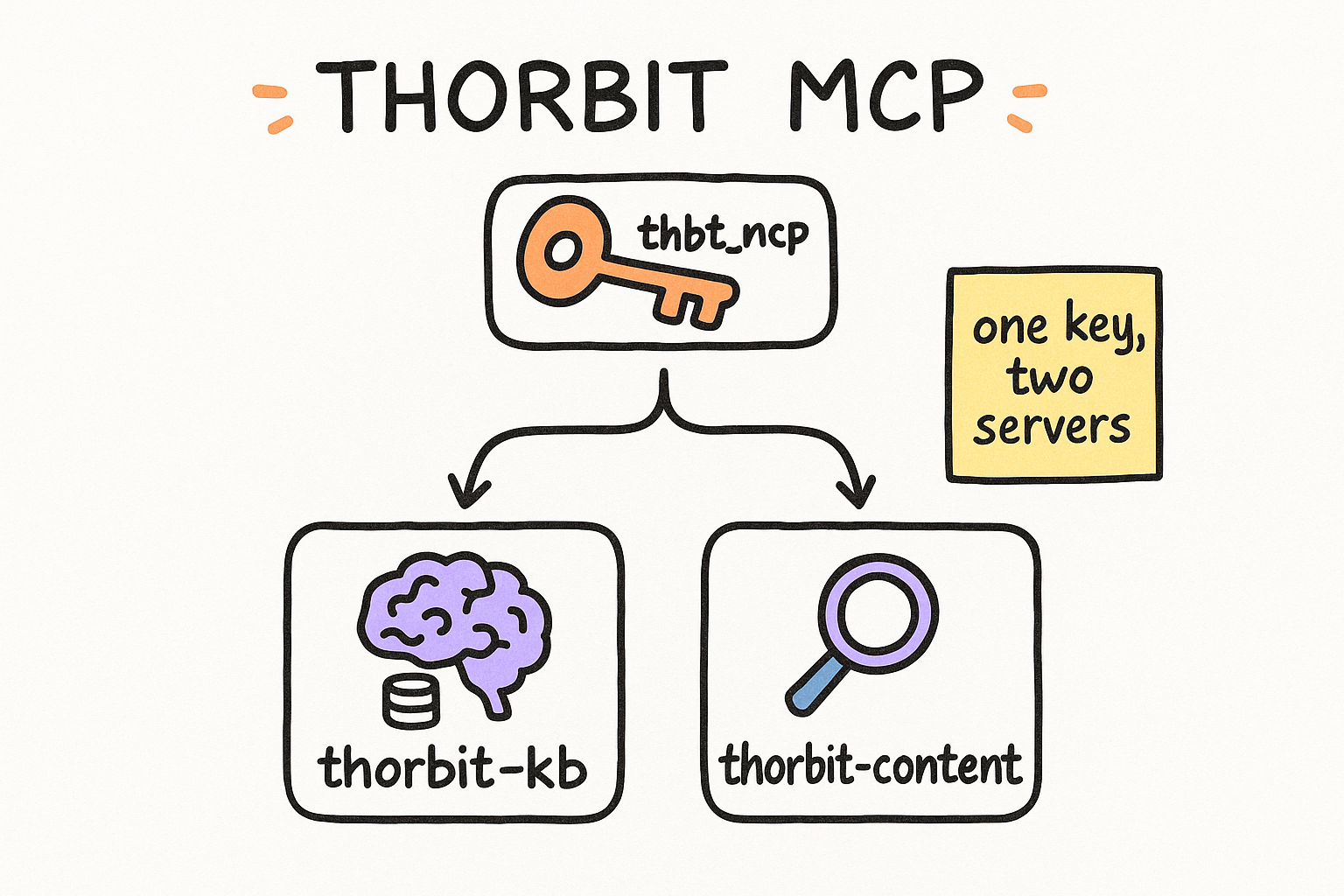
Thorbit ships its platform to your AI client as two MCP servers that share one key. thorbit-kb is a vector knowledge base: ingest anything, then RAG-search and ask it with citations. thorbit-content is a SERP-evidence content engine: scrape Google, extract pages, and run an on-page optimization pipeline. Point either one at https://thorbit.ai with your thbt_mcp_ key and the tools show up inside Claude, Codex, or Cursor.
- thorbit-kb = memory. Ingest, vectorize, search, ask with citations.
- thorbit-content = research + writing. SERP scrape and on-page pipeline.
- One thbt_mcp_ key authenticates both, against https://thorbit.ai.
Get it into your client
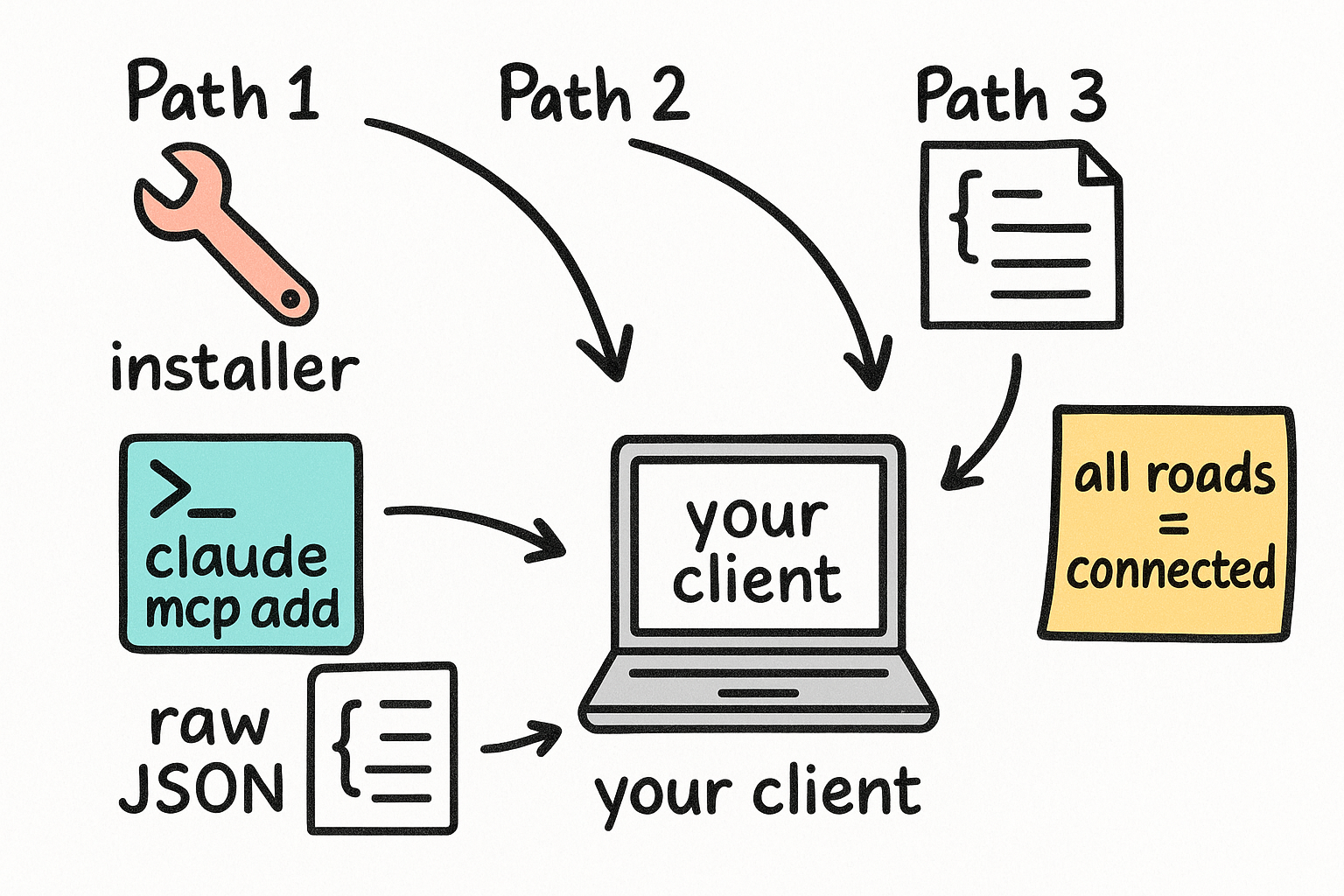
There is a one-command installer (thorbit-mcp) that writes the config for Codex, Claude Desktop, or Cursor and stores your key in a file instead of inline. For Claude Code, the installer has no native target, so add it with the supported CLI. Or just paste the raw JSON anywhere that takes an mcpServers block. All three end at the same place: two connected servers.
- Installer auto-writes config and saves the key to a file path.
- Claude Code: use the claude mcp add-json CLI (no installer target).
- Raw JSON works in any mcpServers config as a fallback.
THORBIT_API_KEY='thbt_mcp_...' npx -y thorbit-mcp@latest install --client codex --base-url 'https://thorbit.ai'

# swap --client for: claude-desktop | cursor | jsonclaude mcp add-json thorbit-kb '{"command":"npx","args":["-y","thorbit-kb-mcp@latest"],"env":{"THORBIT_API_KEY":"thbt_mcp_...","THORBIT_BASE_URL":"https://thorbit.ai"}}' -s user
claude mcp add-json thorbit-content '{"command":"npx","args":["-y","thorbit-content-mcp@latest"],"env":{"THORBIT_API_KEY":"thbt_mcp_...","THORBIT_BASE_URL":"https://thorbit.ai"}}' -s user{
"mcpServers": {
"thorbit-kb": {
"command": "npx",
"args": ["-y", "thorbit-kb-mcp@latest"],
"env": { "THORBIT_API_KEY": "thbt_mcp_...", "THORBIT_BASE_URL": "https://thorbit.ai" }
},
"thorbit-content": {
"command": "npx",
"args": ["-y", "thorbit-content-mcp@latest"],
"env": { "THORBIT_API_KEY": "thbt_mcp_...", "THORBIT_BASE_URL": "https://thorbit.ai" }
}
}
}A vector knowledge base you can build from zero
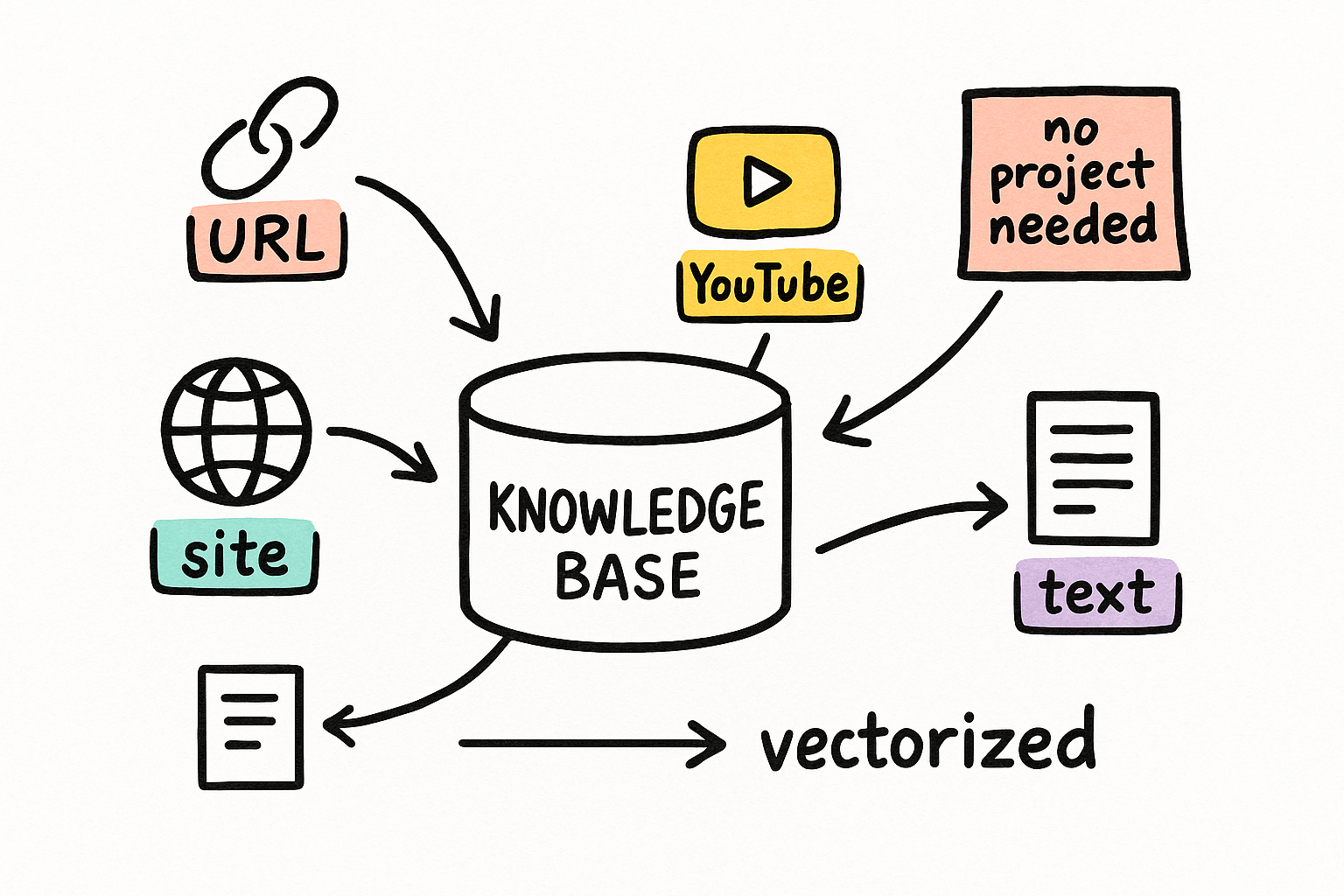
The KB server needs nothing pre-existing. thorbit_kb_create makes an org-level knowledge base on the spot (a project ID is optional). Then you feed it four ways: a single URL, a whole mapped site, a YouTube transcript, or raw text and Markdown. Everything is chunked, embedded, and made citation-ready. thorbit_kb_list shows what your key can see.
- Create org-level KBs with no project required.
- Ingest from URL, full site crawl, YouTube, or raw text.
- Poll ingest status; sources go ready with a chunk count.
- 9 tools cover create, list, 4 ingesters, status, search, ask.
Use thorbit_kb_create to make a knowledge base named "client-research" in the research folder. Org-level, no project.Use thorbit_kb_ingest_site on knowledgeBasePublicId <KB_ID> starting at https://example.com, maxPages 25. Then poll thorbit_kb_source_status until the source is ready.Ingest, search, ask, cited
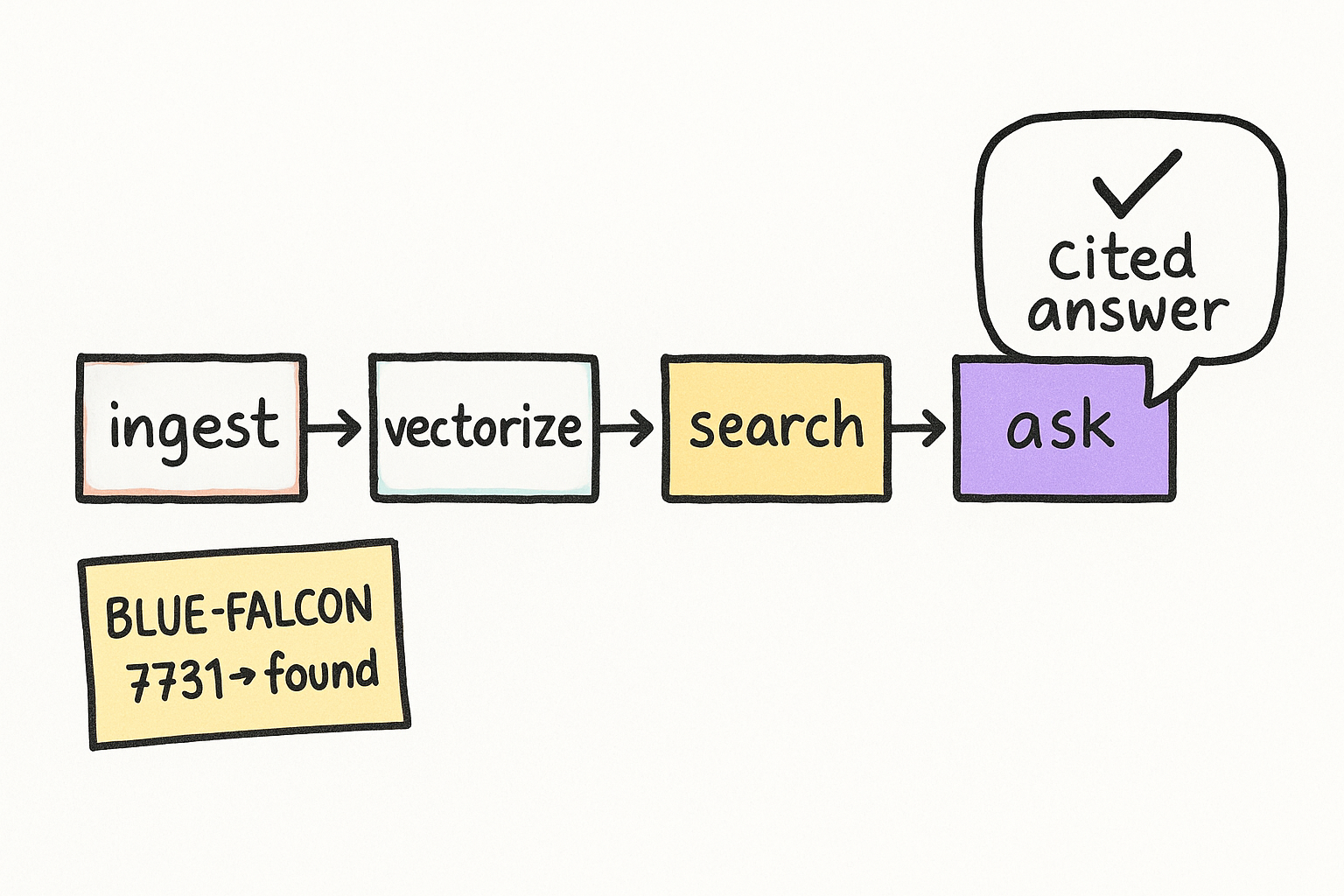
The whole loop is real, not a demo. In testing we created a KB, ingested a doc with a planted passphrase, and asked for it back. Search returned the exact chunk with a citation; ask returned a grounded answer that decomposed the question, reranked results, and cited its source. searchMode smart uses intent and rerank; hybrid uses ANN plus full-text. answerStyle can be concise, detailed, or extractive (excerpts only).
- search returns scored chunks + citation excerpts.
- ask returns a cited answer, sufficiency, and the retrieval strategy.
- smart = intent + rerank. hybrid = vector ANN + FTS.
Use thorbit_kb_search with query "<your question>" on knowledgeBasePublicId <KB_ID>, searchMode smart. Show me the top chunks and their citations.Use thorbit_kb_ask: question "<your question>", knowledgeBasePublicId <KB_ID>, answerStyle detailed, requireCitations true. I want the answer plus the citation array.The MCP Scraper tools
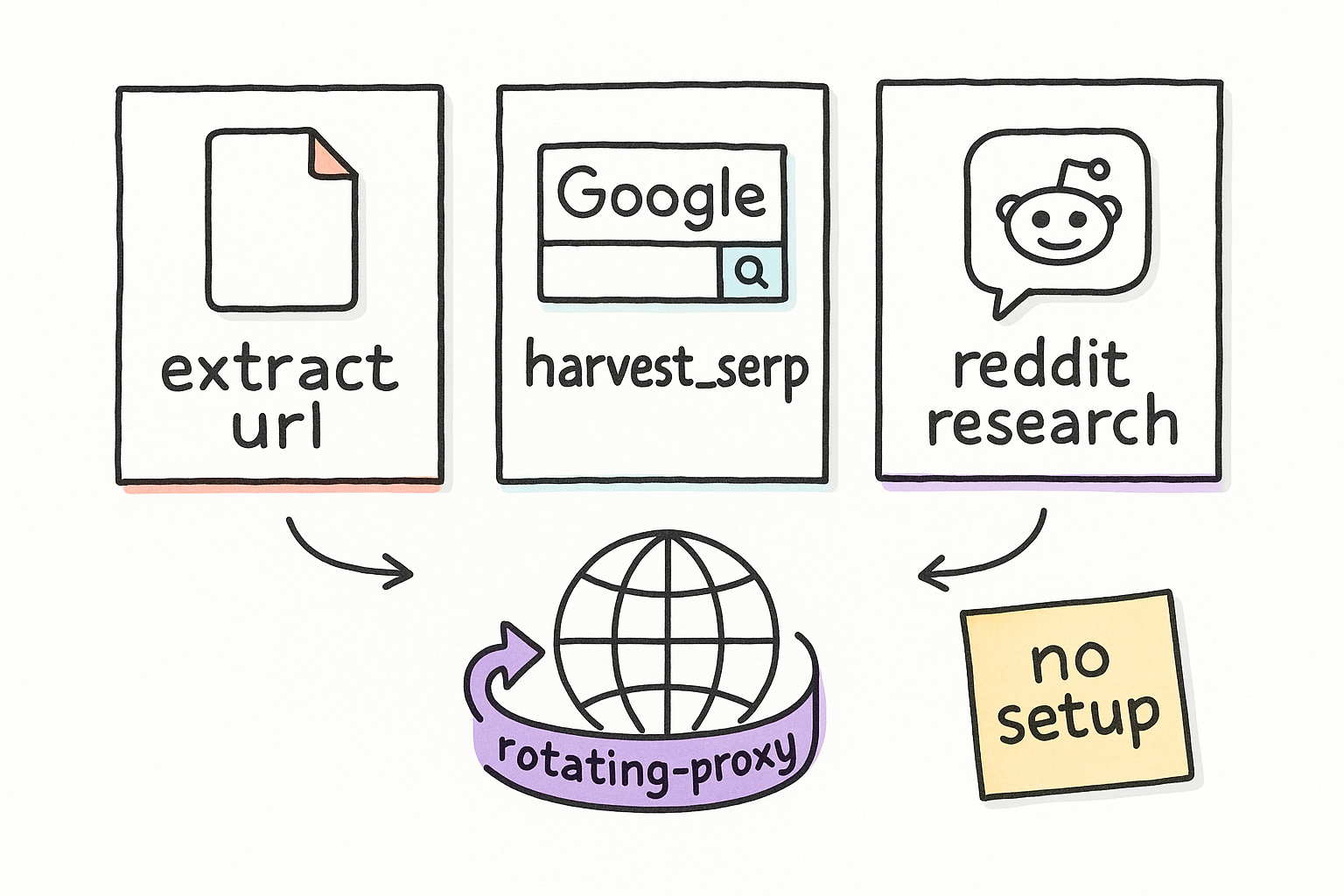
Three content-server tools need zero setup and run the moment the key connects. extract_url pulls any public page (with a JS browser fallback and optional brand color, font, and logo extraction). harvest_serp returns a full Google surface: organic, People Also Ask flat and tree, local pack, videos, forums, AI Overview text and citations, AI Mode, and entity IDs, with residential proxy rotation by location or ZIP. reddit_research mines real audience language and objections.
- extract_url: any public page, browser fallback, brand extraction.
- harvest_serp: full SERP + PAA + AI Overview, proxy by location.
- reddit_research: audience language, pain points, objections.
Use thorbit_content_harvest_serp: query "best CRM", location "Denver, CO", proxyMode location. Return the PAA tree and the top organic results.Use thorbit_content_extract_url on https://competitor.com/page with extractBranding true. Give me the headings, content, and their brand colors.The on-page + content pipeline
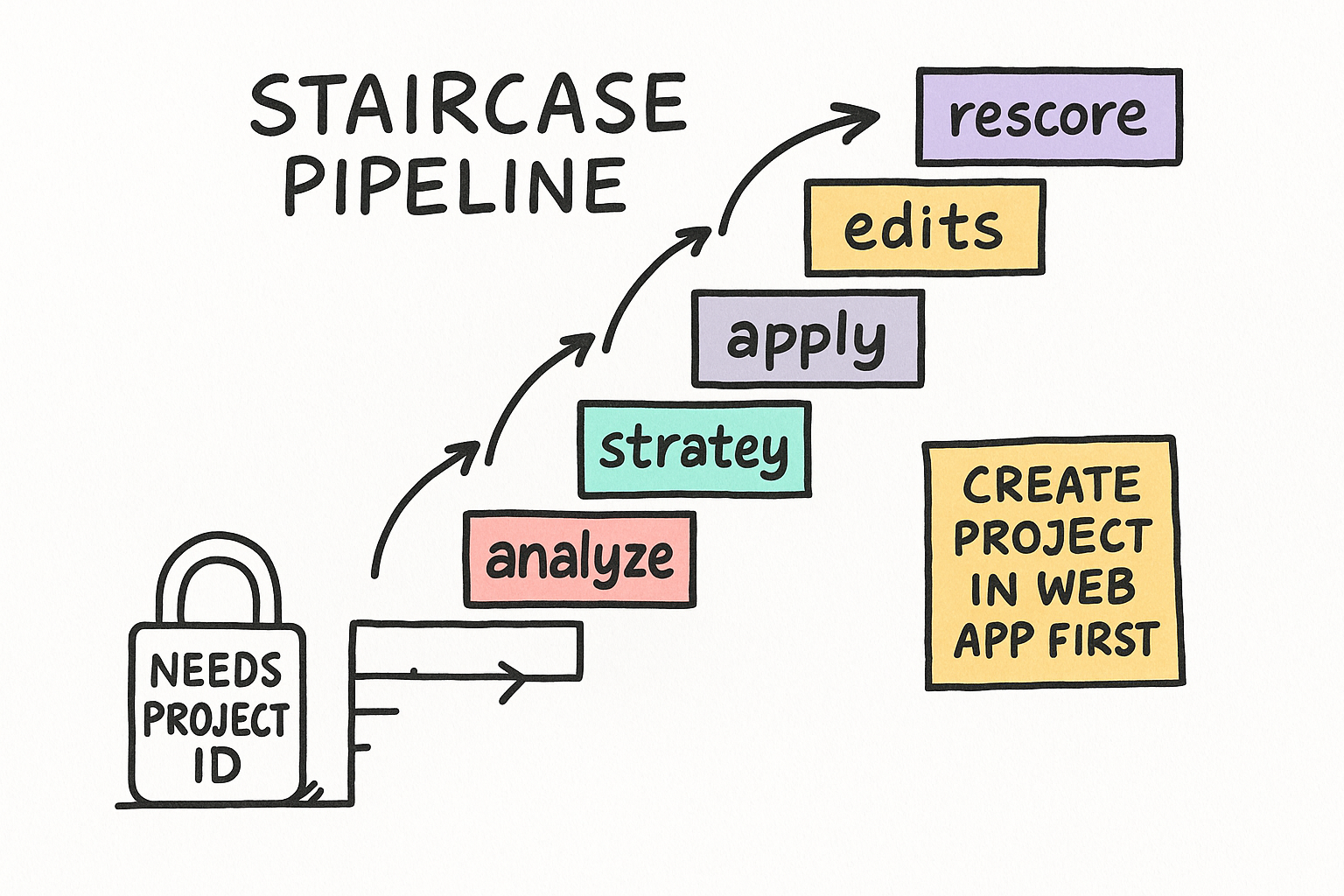
The deeper content tools attach to a Thorbit project, so they need a real projectPublicId (created in the Thorbit web app — the MCP has no create-project tool). Once you have one, optimize is the high-level entry: give it a project, a keyword, and either SERP evidence, an existing piece, inline text, or a URL. The on-page suite runs the full loop: analyze, brief, strategy, propose edits, accept or reject, apply, rescore.
- optimize: project + keyword + content/evidence in, jobPublicId out.
- pipeline modes: brief, write, optimize. Poll with pipeline_get.
- on-page: analyze, brief, strategy, propose, apply, rescore.
- opportunities_list pulls topics from 8 sources (GSC, competitors, ...).
Use thorbit_content_optimize: projectPublicId <PROJECT_ID>, keyword "<target>", harvestSerp true, location "<city>". Return the jobPublicId and poll thorbit_content_pipeline_get.Use thorbit_onpage_start_analysis on projectPublicId <PROJECT_ID> for keyword "<target>". When it finishes, get the analysis, generate the brief, propose edits, and show them to me before applying.The full tool catalog
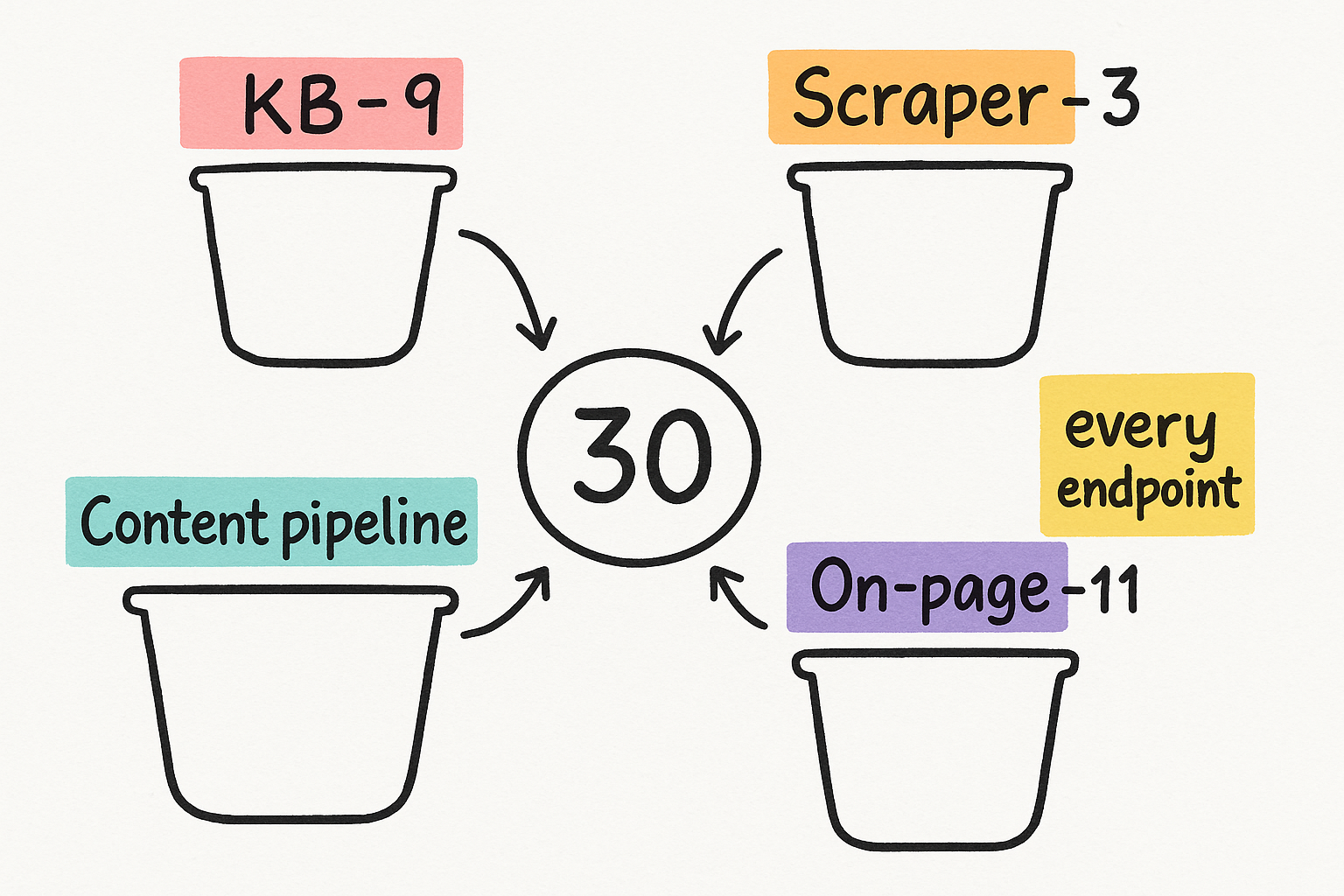
Thirty tools across the two servers. The KB server is self-contained. The content server splits into three standalone scraper tools and a project-scoped pipeline. This is the complete surface — there are no hidden endpoints. KBs expose one resource and one source-status template; the content server exposes an analysis resource and a content-intake prompt.
- KB (9): create, list, source_status, ingest_url/site/youtube/text, search, ask.
- Scraper (3): extract_url, harvest_serp, reddit_research.
- Content pipeline (7): optimize, opportunities_list, pipeline start/get/resume/from_brief/improve.
- On-page (11): list_sources/analyses, start/get analysis, editor, rescore, brief, strategy, propose/update/apply edits.
How to actually drive it
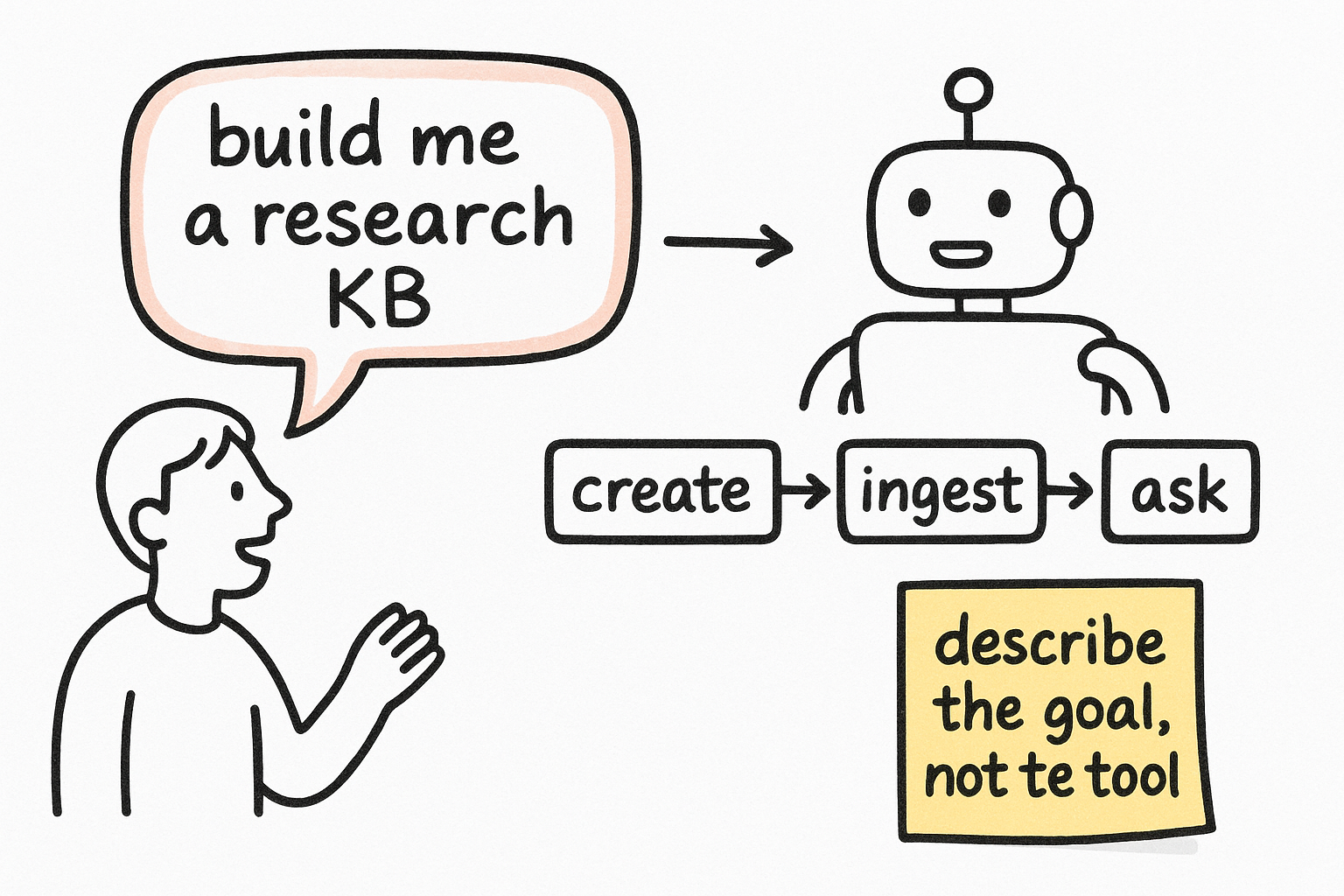
You do not call these tools by hand. You tell Claude the outcome and let it pick the tools. Say: build me a research KB from these ten URLs, then answer my questions only from it. Or: pull the Denver SERP for emergency plumber and tell me what the top pages cover that mine doesn't. The server names are stable, so you can reference thorbit-kb or thorbit-content directly when you want a specific one.
- Describe the goal; let Claude chain create -> ingest -> ask.
- Name the server (thorbit-kb / thorbit-content) to force the lane.
- KB work needs no project; pipeline work needs a project ID.
Make a thorbit-kb knowledge base called "<name>", ingest these URLs: [LIST]. Wait until they're ready, then answer my questions only from that KB, always with citations.Use thorbit-content to harvest the SERP for "<keyword>" in "<city>", extract the top 3 results, and tell me the topics and questions they cover that I should add.